Separating Active Project Working Files from Cloud Sync Folders to Prevent Software Save Conflicts
Separating Active Project Working Files from Cloud Sync Folders to Prevent Software Save Conflicts
With the advent of cloud synchronization services, modern creative and technical processes are becoming more dependent on these services to ensure seamless file access across numerous devices. The use of cloud storage and real-time sync clients are examples of tools that provide obvious benefits in terms of collaboration, backup redundancy, and continuity across many devices. When utilized directly for current project work, however, these same technologies might present challenges that are not just subtle but also disruptive. One of the most typical issues that arises during live editing sessions is the formation of file conflicts. This occurs when programs continually alter working files while cloud services seek to synchronize changes at the same time. It is possible for this to result in duplicated files, damaged project states, version discrepancies, and even the rare loss of data in systems that are complicated and used for production. The separation of cloud sync folders from active working directories is a structured workflow method that was developed to prevent these conflicts while yet keeping the advantages of cloud storage for the purposes of finished outputs and archiving.
Comprehending the nature of the interference that cloud synchronization causes with active files
The operation of cloud synchronization systems involves continually monitoring selected folders for changes and sending updated data to distant servers. When many devices or processes in the background interact with the same file at the same time, the sync engine may have difficulty determining which version reflects the most recent state of the file. Video editors, design software, integrated development environments, and huge document processors come to mind as examples of apps that routinely produce temporary working files or save them automatically. This presents a particularly difficult challenge for these applications. It is possible for each incremental modification to set off synchronization events, which in turn increases the possibility of incomplete uploads or versions that are in conflict with one another. In order to build a workflow that prevents needless interference between the processes of active editing and background synchronization, it is crucial to have a solid understanding of this behavior.
Understanding Why Active Project Files Are Particularly Vulnerable
Users are constantly editing, saving, and refining their work, which causes active project files to be intrinsically dynamic. These files often undergo continual alteration. The files in question are not static snapshots, as opposed to finished exports; rather, they are dynamic datasets that may undergo changes on several occasions per minute. However, cloud sync solutions are designed to perform best with files that are in a stable condition rather than with working environments that are constantly changing. It is possible for the synchronization engine to perceive intermediate states as unique versions when both systems interact with the same directory. This may lead to events that involve duplication or conflict resolution. When there is a mismatch between the volatility of files and the expectations of sync, it creates a scenario in which instability is more likely to occur during intense bouts of creative or development work.
In the event of a conflict, the role that temporary and cache files play
Alongside core project files, a number of professional software produce temporary files, automatically store backups, and cache data. While these auxiliary files are usually changed more frequently than the primary project itself, it is possible that they do not adhere to any naming or saving patterns that are predictable. When these temporary files are stored within a directory that is synchronized with the cloud, they are continually identified and uploaded, which increases the amount of system overhead and the likelihood of conflicts occurring. During the editing process, some apps lock files, which might further complicate the process of synchronization. By separating working directories from cloud storage, it is possible to avoid these temporary files from being synced without the need for it, which in turn reduces the amount of strain on the network and the complexity of the file system.
Developing a Workflow for Dual-Layer Storage Structure
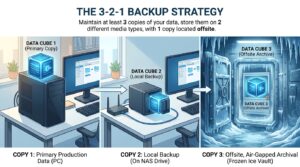
Separating storage into two independent layers—a local working directory and a cloud-synced archive directory—is an essential component of a systematic approach to managing files. All of the active project files, temporary materials, and modifications that are currently being worked on are stored in the local workspace. This environment places a high priority on speed, stability, and applying application performance without interruption. It is necessary to manually transfer or synchronize a project into the cloud folder in order to facilitate backup and collaboration reasons after the project has reached a stable milestone or the final export stage. Because of this separation, cloud services are only able to deal with data that has been finished or purposely shared, as opposed to working states that are prone to change. The end result is a file management system that is less prone to conflict and more readily foreseeable.
Minimizing the Number of Data Duplications and Version Conflicts
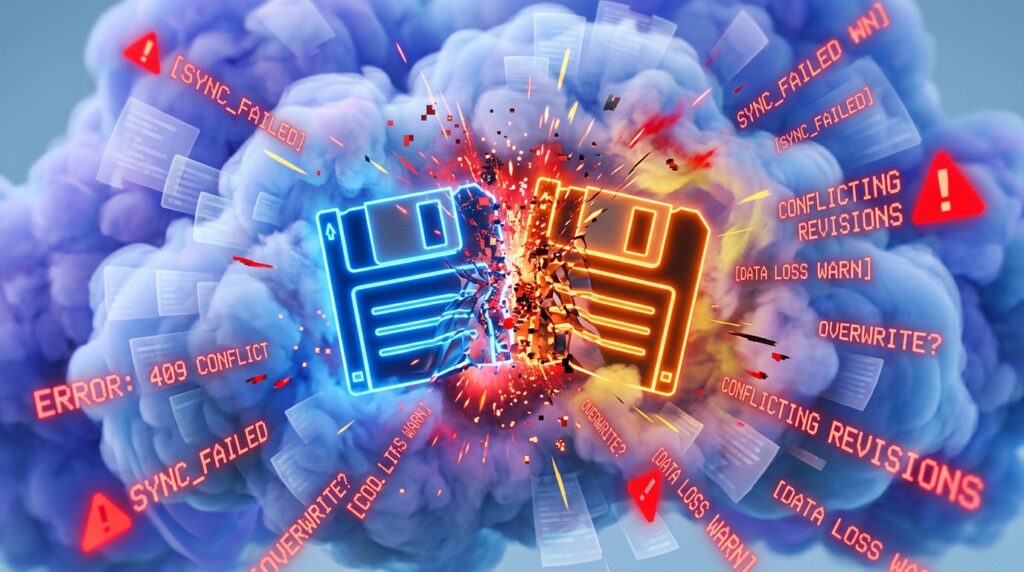
Direct cloud synchronization while active editing may also result in the development of numerous file versions that are incompatible with one another, which is one of the most unpleasant consequences. Multiple devices or processes save changes within short time periods, which causes the sync system to create duplicate copies that are designated as conflicting versions. These conflicts often arise when separate devices or processes store changes. This may, over time, cause project folders to get cluttered, making it more difficult to determine which file is the authorized one. It is possible to avoid these conflicts to a significant extent by segregating ongoing work from sync folders. This is because only stable and deliberate file states are brought into the cloud environment. This results in a major improvement in version clarity and a reduction in the administrative burden associated with controlling files.
Enhancing the Performance and Responsiveness of Individual Applications
It is possible for applications that operate inside cloud-synced folders to see a decrease in performance as a result of continuous file monitoring and background synchronization activities. Each and every save process has the potential to cause extra disk and network activity, which may potentially disrupt the responsiveness of the program. This is especially true in settings that use a significant amount of resources, such as video editing, 3D modeling, or software compilation projects. Using working directories that are only accessible locally eliminates this overhead, which enables apps to function without interruption from outside sources. As a consequence, save times increase, editing experiences become more fluid, and the system’s performance remains more constant even while doing intensive activities.
Facilitating the Improvement of Workflow Predictability and Stability
When it comes to professional processes, predictability is an essential component, particularly when working on projects that are time-sensitive or high-value. Unexpected file changes brought on by sync conflicts have the potential to impede development and need the involvement of a human being in order to address discrepancies. When users build a controlled environment by isolating their working directories from their cloud directories, they ensure that the behavior of their files stays constant and is totally under the control of the local system. Users are able to concentrate on creative or technical work without having to worry about interruption from background synchronization with this steadiness, which lowers uncertainty during important production periods.
Facilitating Workflows for Both Solo and Collaborative Work
It is beneficial for both individual users and collaborative teams to use this separation method. Through the use of solo processes, it guarantees that personal project files will stay stable during the active development process. It offers a systematic approach for teams to share only assets that have been finished or are ready for review, hence eliminating the possibility of incomplete work being disseminated by mistake when working together. It is possible for cloud folders to function as settings for staging or delivery rather than as live editing areas. By making this difference, this distinction increases the clarity of cooperation and guarantees that all shared assets reflect versions of the work that are deliberate and ready for production.
The Most Effective Methods for Putting Separation Strategies Into Action
In order to ensure a successful deployment, it is necessary to effectively define folder roles and to maintain consistent practices. Users should create local folders that are only devoted to current work, and they should create cloud directories that are distinct from one another for backups, exports, or shared deliverables. It is important to use naming conventions and folder architectures that enforce this separation in order to prevent the unintentional placement of files in sync-enabled places. It is important to conduct regular reviews of workflow habits in order to prevent the reintroduction of synchronization issues caused by transitory shortcuts or erroneous saves. Over the course of time, these procedures will eventually become an essential component of a reliable and effective file management system.
Upholding the Integrity of Data Over the Long Term
Controlling the manner in which and the timing of file synchronization is essential to maintaining data integrity. It is possible to guarantee that only stable and intended versions are kept remotely by allowing cloud services to function just on completed project states. The likelihood of corrupted files, incomplete uploads, and modifications that are in conflict is decreased as a result of this. Long-term project archives become more dependable and simpler to explore when they include just well-defined versions rather than ongoing incremental modifications. This is because the versions are more easily identifiable. The use of this organized method facilitates improved archiving procedures and makes the retrieval of project materials in the future much simpler.
The Development of a File Management Architecture That Is Free From Conflict
A practical and extremely successful method for eliminating software save conflicts in current digital workflows is to separate cloud sync folders from active project working files. This makes it possible to avoid software save conflicts. It is possible for users to avoid a significant source of file duplication, performance difficulties, and version instability by separating volatile editing environments from synchronization procedures. The application’s responsiveness is improved, data integrity is strengthened, and a more explicit difference is made between assets that are still in the process of being developed and those that have been completed. It is becoming more important to maintain a disciplined boundary between local and synchronized storage in order to provide dependable, efficient, and conflict-free project management as cloud integration continues to develop across creative and technical sectors.