Debugging Photoshop Actions: How to Insert Stops and Tool Recording to Prevent Batch Playback Failures
Debugging Photoshop Actions: How to Insert Stops and Tool Recording to Prevent Batch Playback Failures
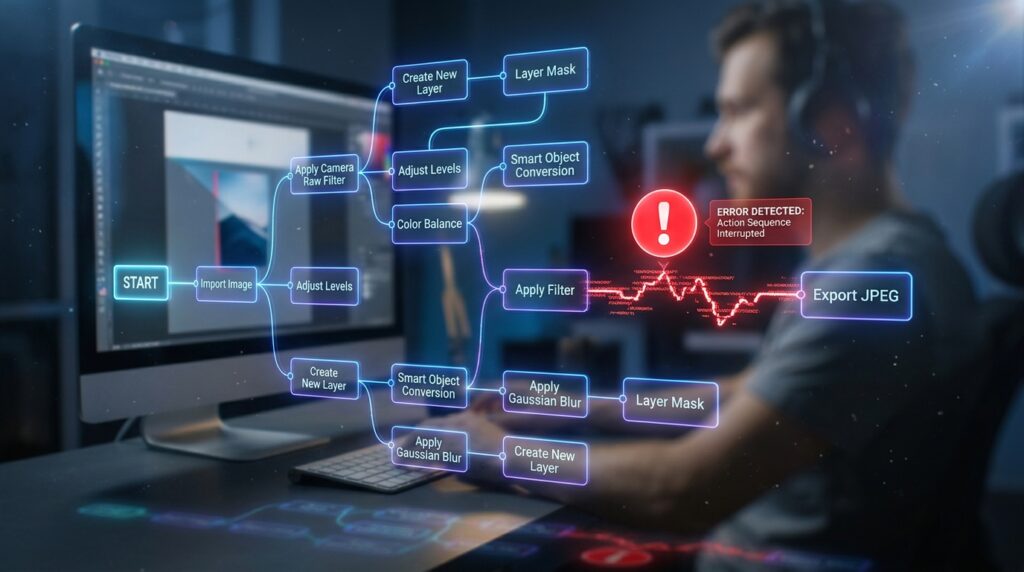
Photographers, designers, and digital artists who are looking to automate tedious processes and optimize production workflows have found that Photoshop Actions have become important tools. Actions greatly minimize the amount of human labor required to do common tasks, such as resizing photographs, making modifications, and producing complicated effects. Additionally, they increase consistency across huge batches of files. Playback failures may occur during batch processing, which can impair productivity and introduce unanticipated mistakes. However, even well-designed Actions might have playback failures. It is common for issues to occur as a result of missing layers, conflicting document conditions, unrecorded tool behaviors, or user interactions that need human entry. To ensure that automation systems continue to function reliably, it is vital to have a solid understanding of how to successfully debug actions. Important precautions against typical playback concerns include inserted stops and suitable tool recording approaches. These features give considerable protection against these issues. Users may design robust Actions that work consistently across a variety of projects by understanding these troubleshooting approaches. This allows users to minimize disruptions during high-volume production jobs while still achieving strong performance.
Learn the Reasons Behind the Failure of Photoshop Actions
Failures in playback in Photoshop Actions often arise when recorded steps come into contact with circumstances that are different from those that were present during the process of recording the action in the first place. It is possible for actions to presume the presence of certain layer names, selections, color modes, or document dimensions that are not present in batch files. In addition, tool-dependent processes may exhibit unpredictable behavior if the recording process fails to accurately capture critical data. There are situations in which the needs for human input abruptly stop automation, which inhibits the effective completion of the batch operation. The first stage in the process of building efficient debugging solutions is to get an understanding of the factors that are responsible for Action failures. It is possible for users to construct automated processes that are more adaptive and robust if they have a comprehensive awareness of these potential problems.
An Analysis of the Importance of Testing Procedures Prior to Batch Processing
The technique of extensively testing Actions before deploying them across huge collections of files is an essential component of quality assurance for any organization. Although it is possible to successfully run an Action on a single example document, this does not ensure that the action will work reliably under other situations. It is common for batch settings to create changes in picture orientation, resolution, layer structures, and file formats, which might reveal previously concealed vulnerabilities within recorded sequences. In order to detect vulnerabilities before they have an effect on productivity, systematic testing across representative cases and examples is helpful. Users are able to enhance Action logic and implement protections that increase compatibility when they are able to notice possible difficulties early on. Comprehensive testing lessens the chance of disruptions occurring during production procedures that are time-sensitive.
Increasing the Reliability of Actions Through the Use of Inserted Stops
When it comes to establishing controlled pauses inside Photoshop Actions, inserted stops provide a solution that is both effective and efficient. Before the automated process proceeds, these pauses provide users the opportunity to examine the progress that has been made, check the circumstances, or undertake human interventions. Stops are particularly helpful in situations when some choices need human judgment and cannot be reliably taken by an automated system. By providing users with informative messages that accompany inserted pauses, it is possible to assist them through the essential stages and explain expectations while the execution is taking place. Strategic pauses give opportunity to resolve possible problems in a proactive manner, as opposed to allowing an action to fail abruptly under certain circumstances. Incorporating pauses in a smart manner has the effect of increasing workflow flexibility while maintaining the efficiency gains that are associated with automation.
Identifying the Situations in Which Manual Intervention Is Required
There are certain image processing operations that are not appropriate for total automation by any means. Certain actions are highly dependent on other factors, such as the context, artistic choice, or document-specific properties, which might change dramatically from one file to another. By being able to recognize these instances, users are able to decide the appropriate location within an Action sequence to apply inserted stops. When it comes to specialized deliverables, some examples include validating output settings, correcting localized adjustments, and verifying crop borders. Making an effort to automate judgments that are essentially subjective often leads in an increase in the likelihood of mistakes and inconsistent outcomes. The strategic integration of manual checkpoints strikes a compromise between efficiency and quality control, so guaranteeing that significant creative concerns stay suitably controlled.
Having an Understanding of the Function of Tool Recording
Tool recording is a technique that records precise interactions that people have with Photoshop tools while they are creating actions. On the other hand, not all tool behaviors are automatically recorded in a manner that ensures reliable replay. During the process of batch execution, incorrect results may occur if the brush settings, selection adjustments, transformation parameters, or adjustment interactions are not recorded in their entirety. It is very important for users to have a thorough understanding of how specific tools operate within the Action framework and to ensure that crucial settings are appropriately kept. It is possible to eliminate ambiguity and improve action performance across a variety of documents by paying great attention throughout the recording process. In order to ensure the reliability of the automation design, accurate tool recording is an essential component.
Taking Notes on Activities While Keeping Consistency in Mind
Maintaining consistency during the recording process has a significant impact on the dependability of future playback results. Before beginning the process of recording action steps, users should first create uniform circumstances. These requirements should include document preparation, layer organization, and workspace setup procedures. In order to further increase robustness, it is important to avoid needless complexity and to minimize dependency on temporary selections or unclear layer references. To further assist debugging in the event that problems develop, clear naming rules for layers and Action components are also beneficial. Recording procedures that are thoughtful not only build a better basis for future debugging efforts, but they also lower the risk of unexpected problems occurring during their processing in batches. Methodologies that are structured provide a substantial contribution to the long-term stability of workplace workflow.
Finding and Fixing Playback Errors in a Methodical Manner
Systematic analysis is a useful tool for efficiently determining the cause of a problem that occurs during the performance of an action. Reviewing each individual action step in sequential order often shows actions that are dependent on assumptions that are no longer true inside the target documents. It is possible to determine if recorded errors, document discrepancies, or unsupported circumstances are the cause of failures by isolating problematic instructions and testing them separately. Users have the ability to execute specific adjustments via incremental troubleshooting, which eliminates the need to rebuild whole Actions without any justification. To increase the speed of problem-solving and to create more trust in automated processes, it is important to maintain a scientific approach to debugging.
The Development of Workflows for Batch Processing That Are More Adaptable
It is necessary for actions to be able to accommodate variance across numerous files in order to provide reliable batch automation. The incorporation of conditional logic via the use of inserted stops, the simplification of tool dependencies, and the escape from inflexible assumptions about document structures all contribute to an increase in flexibility. It is important for users to anticipate the possibility of variances among batch datasets and ensure that they develop actions that are suitable for responding to frequent occurrences. There is no correlation between flexibility and efficiency; rather, it is a factor that enhances the resilience of automation systems that are functioning in production settings that are based in the real world. The development of procedures that are flexible helps to limit the number of times that playback interruptions occur and enables more consistent outputs across a wide range of project needs.
Increasing the strength of automation by using efficient debugging practices
For the purpose of avoiding problems in batch playback and sustaining productive workflows, it is vital to debug Photoshop Actions by using inserted stops and meticulous tool recording approaches. When users have a thorough grasp of the elements that lead to Action mistakes, rigorous testing of sequences, and the implementation of strategic protections, they are able to develop automation systems that are able to achieve reliable performance under a variety of scenarios. In addition to enhancing the flexibility and stability of these systems, thoughtful recordkeeping methods and rigorous troubleshooting are also beneficial. The mastery of Action debugging becomes a crucial ability that promotes productivity, consistency, and high-quality output in demanding production contexts. This is because creative workers are increasingly relying on automation to handle growing workloads.