Configuring Active Hours and Group Policy to Permanently Prevent Forced Windows Update Restarts During Rendering
Configuring Active Hours and Group Policy to Permanently Prevent Forced Windows Update Restarts During Rendering
Windows updates are an essential component in ensuring the continued safety of the system, enhancing its stability, and providing users with access to newly developed capabilities. On the other hand, unexpected system restarts that are prompted by update installs may create major interruptions for professionals who are engaged in doing resource-intensive operations such as video rendering, 3D animation, software compilation, architectural visualization, and scientific simulations. Rebooting the computer without permission during extended rendering sessions may lead to a loss of productivity, the corruption of project data, the postponement of deadlines, and the waste of computing resources. The default settings of Windows may not always correspond to the specific needs of production environments, despite the fact that Windows makes an effort to reduce disruptions via the use of automatic scheduling systems. Users have the ability to get a better degree of control over the behavior of updates and considerably minimize the likelihood of restarts occurring at inappropriate times if they correctly configure Active Hours and make use of Group Policy settings. Professionals are able to ensure system security while maintaining continuous access to key computing tasks if they have a thorough understanding of these configuration choices.
A Better Understanding of the Reasons Behind Workflow Issues Caused by Forced Restarts
Rendering projects often call for lengthy periods of continuous processing, which might last for many hours or even several days, depending on the intricacy of the project. In the course of these processes, the stability of the system becomes very necessary since any unanticipated disruption has the potential to degrade the output quality and waste significant amounts of processing time. The prioritization of maintenance operations above ongoing computing processes is the result of forced restarts of Windows Update, which introduces uncertainty into these workflows. These disruptions have the potential to result in missed delivery dates and higher operational expenditures for professionals who are working under severe deadlines. Users are better able to grasp the significance of establishing proactive update management solutions that are appropriate to production situations when they are aware of the effect that automated restarts have.
The Reason Behind the Utilization of Active Hours in Windows Update Governance
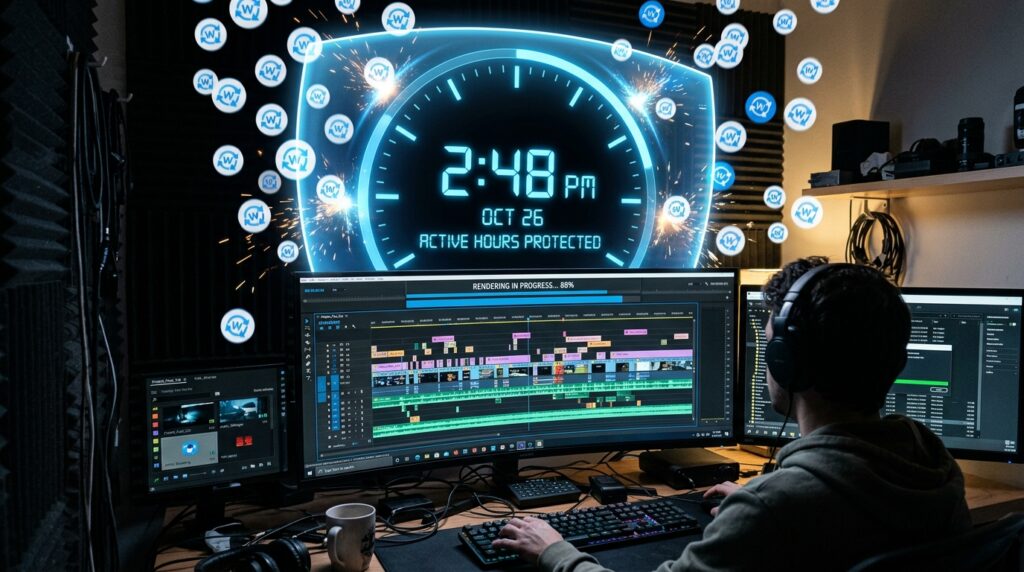
The Active Hours capability was developed with the intention of lowering the probability that Windows would restart devices during times when they are being used frequently. Through the usage of this function, users are able to set time periods that should typically be avoided when automated reboots are performed. Through the establishment of predictable use windows, Windows makes an effort to arrange restart actions related to updates outside of approved working times. The efficiency of Active Hours is strongly dependent on precise setup that accurately matches real production schedules. Despite the fact that Active Hours offers a useful initial layer of defense against unexpected disruptions, its performance is important. When users have a thorough understanding of the capabilities and limits of this feature, they are better equipped to properly integrate it into more comprehensive update management processes.
Justifications for the Need for Additional Protection in Rendering Workloads
The majority of the time, creative professionals and technical experts work outside of the typical office routine. There are times when rendering sessions that take place overnight, processing operations that take place on the weekends, and ongoing simulation workloads go beyond the constraints of the typical Active Hours. Under these conditions, relying merely on the normal update controls may not be enough to offer enough protection from the behavior of automatic restarts. Systems that are specifically designed to do production activities need administrative control that is more detailed and capable of accepting more unusual operating patterns. In view of the fact that rendering environments have their own unique features, it is necessary to implement additional configuration steps that are intended to emphasize workload continuity without sacrificing vital security maintenance.
The Function of Group Policy in the Management of Updates
Group Policy facilitates the management of Windows behavior across individual PCs as well as larger corporate contexts by providing administrators and advanced users with centralized procedures. Group Policy, in contrast to the usual user interfaces for settings, provides access to a greater number of extensive choices that regulate the operations for updating and installing software and restarting policies. With the use of these options, users are able to modify the way in which Windows reacts when upgrades necessitate restarting the system. Through the modification of pertinent policy settings, professionals are able to construct environments that are more closely aligned with their own operating needs. Users who have a better understanding of the options provided by Group Policy are able to go beyond the basic scheduling of updates and construct more dependable protections against disruptions to workflow.
How to Strike a Balance Between Production Stability and Security Requirements
On the other hand, preventing forced restarts should not come at the price of preserving the system’s stability and security. By addressing vulnerabilities, improving compatibility, and enhancing operating system resistance against new threats, regular updates are essential. For the purpose of update management in production settings, the goal is not to completely do away with maintenance operations; rather, it is to make certain that these actions take place under controlled circumstances. Users are able to maintain continuous access during key workloads by using thoughtful scheduling, while still reaping the benefits of timely security upgrades using this method. It is necessary to give careful thought to both the operational priorities and the long-term system health goals in order to establish this equilibrium.
Establishing Maintenance Window Schedules That Are Predictable
The development of updates management methods that are successful is contingent upon the establishment of maintenance routines that are dependable and can satisfy production needs. At the same time as they ensure that vital maintenance chores get the required attention, designated intervals for installing updates and executing system restarts eliminate uncertainty. Procedures that are clearly established and control when systems may undertake actions connected to updates are beneficial to both organizations and individual specialists. In order to enhance project planning efforts and reduce the probability of unanticipated downtime occurring during crucial rendering activities, predictable maintenance periods are essential. Computing environments that are more stable and efficient are a result of the use of structured techniques to update scheduling.
Making Professional Rendering Environments Available for Support
Rendering systems sometimes involve substantial expenditures in hardware resources that have been expressly tuned for the purpose of improving computational performance. The implementation of administrative procedures that take into account the specific requirements of high-intensity workloads is necessary in order to safeguard the productivity that is created by these systems. In order to maintain processing continuity across complicated rendering projects, it is helpful to configure Active Hours and Group Policy settings in a suitable manner. In addition to enhancing operational dependability and reducing needless interruptions, these approaches are beneficial to research institutes, production studios, engineering organizations, and freelance creatives. In order to increase trust in the availability of the system during mission-critical operations, it is necessary to tailor update behavior to professional needs.
Planning and Execution of Long-Term Management Update Strategies
Technology environments are always evolving as a result of the expansion of software capabilities and the growing sophistication of project requirements. Consequently, rather than being treated as a one-time setup task, update management need to be regarded as a continuous administrative job. Reviewing the Active Hours schedules and the Group Policy settings on a regular basis helps to ensure that the controls that are already in place continue to be in line with the shifting workflow patterns. In addition to facilitating uniformity across teams, documentation of established processes makes it easier to make improvements in the future. Through the use of a proactive approach to governance updates, users are able to successfully adjust while simultaneously preserving both compliance with security standards and production efficiency.
Enhancing Productivity Without Interruptions Through Intelligent Configuration
Professionals that rely on continuous rendering operations might benefit from a realistic approach that involves configuring Active Hours and Group Policy settings to prevent Windows Update from restarting by force. Users are able to significantly reduce the risk of costly interruptions during resource-intensive tasks by gaining an understanding of the limitations of the default update behavior and implementing administrative controls that are more refined. It is possible to maintain system security without compromising productivity by striking a balance between the needs for security and the stability of operations. Establishing maintenance techniques that are predictable and examining setups on a frequent basis are both ways to further boost long-term efficacy. As the complexity and length of rendering workloads continue to expand, update management that is deliberate becomes a critical component of sustaining production setups that are dependable and efficient.